
 Odoo is a suite of business applications, organized in 6 groups: front-end applications, sales management applications, business operations applications, marketing applications, human resources and productivity applications.
The installation of Odoo 8 on a CentOS 7 VPS should take about ten minutes if you follow the very easy steps described below.
 Jeff Wilson
Install HumHub on an Ubuntu VPS with Nginx and MariaDB
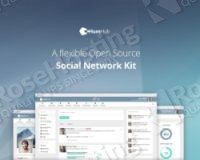 In this guide we will show you how install HumHub on an Ubuntu VPS with Nginx and MariaDB. HumHub is a flexible open source social network application written in PHP on top of the Yii framework. HumHub has a bunch of great features such sharing documents and files, responsive design, user spaces, activity stream and many more. This should work on other Linux VPS systems as well but was tested and written for Ubuntu 14.04 VPS.
Install mod_security with the OWASP core rule set on a CentOS VPS
 Mod_Security is free and open source web application firewall for Apache and Nginx. It is very useful for protecting your web server from various attacks by blocking most of the known exploits using regular expressions and rule sets. Mod_security can detect attacks by monitoring and analyzing the HTTP traffic in real time. In this blog tutorial we will guide you through the process of installing mod_security with the OWASP (Open Web Application Security Project) core rule set on a CentOS VPS from source.
How To Install PyroCMS on an Ubuntu 14.04 VPS
 PyroCMS is a lightweight CMS built with the very popular PHP framework CodeIgniter, simple enough for any developer to create custom modules and for any end user to understand how PyroCMS works.
The installation of PyroCMS on an Ubuntu VPS should take about five minutes if you follow the very easy steps described below.
How to Install WordPress on CentOS 7
We will show you, how to install WordPress on Centos 7, using Apache web-server and MySQL database. WordPress is a web software (content management system) you can use to create a beautiful website or blog. An open source CMS, WordPress is often used as a blog publishing application powered by PHP and MySQL. Currently it is the most popular of the blogging platforms available. Installing WordPress on CentOS 7 is an easy task if you carefully follow our tutorial below.
Before you start the installation, please make sure that you have LAMP stack installed on your server. If not, follow our excellent tutorial about installing LAMP (Linux Apache, MariaDB & PHP) on CentOS 7.
How to backup and restore MySQL database
We’ll show you, How to backup and restore MySQL database. If you are a computer user then you probably know how bad is to accidentally lose some of your important data. To avoid such situations you should create a backup of your data and store the backup file in a safe place. By doing this you can easily restore the lost data and you can get back on track very quickly. Today, we will show you how to create a backup of your MySQL database and restore it later on your Linux VPS. The procedure is very easy and could be very helpful especially if you store all your website data into a single database.
How to Install Yii Framework on a Debian VPS with Nginx
 Yii is an open source, high performance PHP framework used for developing web 2.0 applications.
In this step-by-step tutorial, we will show you how to easily install Yii framework on your Debian based virtual server.
Install MEAN on an Ubuntu 14.04
 In this tutorial, we will walk you through the steps on how to install MEAN on an Ubuntu 14.04 machine.
MEAN stands for Mongo, Express, Angular and Node. It is a simple, scalable and easy to use javascript framework for fullstack web development.